
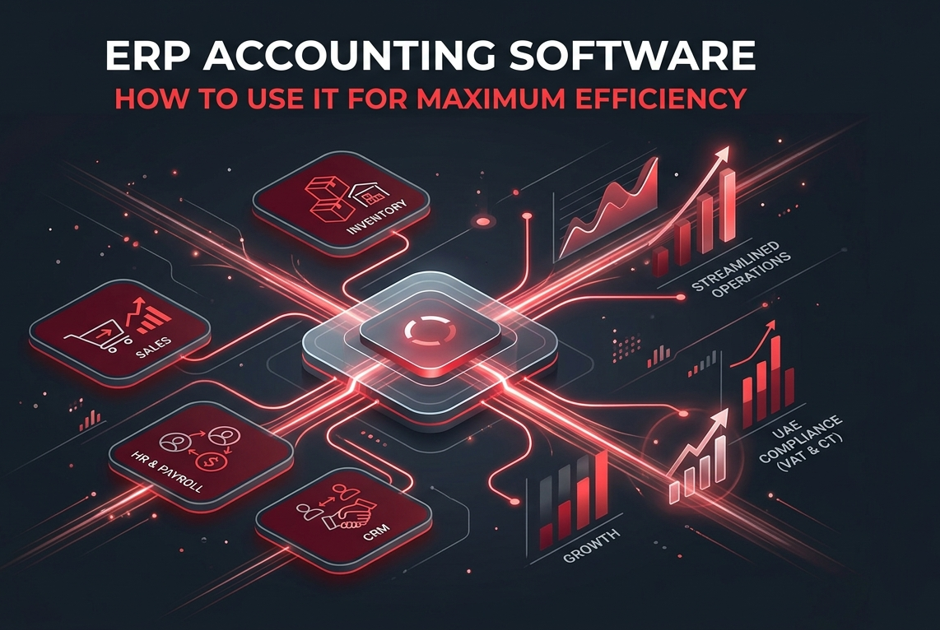
Running a business requires strong financial control as much as quality products or services. Many owners and managers may not have a finance background, yet they need accurate records, timely reports, and compliance. ERP accounting software provides this foundation by integrating finance with sales, inventory, HR, and CRM in one ERP platform, ensuring all figures remain consistent.
This article explains ERP accounting software in simple terms. It covers essential modules, daily practices, UAE compliance features, rollout steps, and reporting. It also highlights how cloud ERP and cloud-based accounting software support companies with multi-branch or distributed teams.
Why Basic ERP Accounting Knowledge Matters
Even when working with external accountants, understanding ERP accounting software offers clear advantages:
- Avoid duplicate entries and posting errors
- Make decisions using live numbers, not outdated spreadsheets
- View a complete picture of cash, profit, and obligations
- Communicate clearly with auditors and tax advisors
- Plan growth using reliable metrics from one system
When finance runs on an ERP accounting system, records benefit from built-in controls, approvals, and an audit trail.
ERP Accounting Software: Key Concepts to Understand
The ERP finance module
Core functions include general ledger, accounts payable, accounts receivable, fixed assets, tax, and financial reporting. ERP accounting software links documents to journals so entries flow automatically into the ledger.
Integration with operations
Embedded within the ERP platform, the finance module connects with inventory, HR, and CRM. These links ensure accurate COGS, payroll postings, and customer balances while reducing manual work.
Single source of truth
A unified database stores customers, vendors, items, tax codes, cost centers, and projects. ERP accounting software keeps these records aligned and speeds up month-end closing.
Controls and audit trail
Approvals, role permissions, locks, and attachments provide transparent records. ERP finance platforms show who posted each entry and when, strengthening compliance and audit readiness.
Cloud capabilities
Many firms choose cloud ERP or cloud-based financial management software for secure access, backups, and scalability. Teams benefit from automatic updates and multi-location access.
UAE compliance settings
Correct UAE VAT codes and corporate tax mapping should be built into the ERP accounting system, in line with Federal Tax Authority (FTA) and Ministry of Finance guidance.
ERP for Beginners: Practical Steps
- Separate business and personal finances using dedicated accounts and defined user roles.
- Automate tasks such as invoicing, payment matching, bank feeds, recurring journals, and VAT calculations within ERP accounting software.
- Standardize data with naming rules for customers, vendors, and tax codes.
- Build dashboards for receivables, payables, overdue invoices, and VAT liabilities in the ERP accounting platform.
- Set approvals with role-based limits, numbering, and locked periods.
- Schedule financial reports including trial balance, aging, cash flow, and VAT returns.
- Train users by role with guides for reconciliations and reporting.
- Test end-to-end flows (order-to-cash, procure-to-pay, record-to-report) in the ERP accounting system before rollout.
Understanding the Core Financial Statements
Balance sheet: Assets, liabilities, and equity at a point in time
Income statement: Revenue, costs, and profit for a period
Cash flow statement: Inflows and outflows showing liquidity
ERP accounting software generates reports from a unified dataset, enabling finance and operations teams to access consistent and reliable information.
How ERP Accounting Software Improves Daily Work
Automation of tasks
Recurring entries, invoice matching, VAT postings, and bank feeds reduce errors and save time for multi-branch businesses.
Dashboards and alerts
Real-time dashboards display DSO, payables, cash position, and tax exposure. Alerts in ERP accounting systems allow proactive decisions.
Centralized financial data
With orders, expenses, payroll, and reporting in one ERP platform, teams improve planning and close faster.
UAE Compliance Essentials
- Configure UAE VAT rates, groups, and filing schedules inside the ERP.
- Map corporate tax accounts with provisions and accruals.
- Store documents and link them to transactions for audit evidence.
- Use ESR checks and management reports to meet substance requirements.
- Align numbering and exchange-rate rules with policy.
These features keep ERP accounting software aligned with UAE laws.
Implementation and Rollout
- Select the platform – Choose an ERP accounting system that supports COA, projects, cost centers, and multi-entity reporting.
- Clean the data – Remove duplicates and upload accurate vendors, customers, and tax codes.
- Pilot the process – Test procure-to-pay and record-to-report cycles.
- Define ownership – Assign responsibility for master data, posting, and reports.
- Train and support – Provide guides and a support channel for long-term ERP stability.
Data Quality and Controls
- Lock periods after closing and restrict back-dated journals.
- Minimize manual entries and attach supporting documents.
- Reconcile banks, payables, and VAT regularly.
- Archive inactive masters and clear duplicates.
- Track user changes to maintain accountability.
These controls ensure ERP finance platforms deliver audit-ready results.
Reporting and Analysis
ERP accounting software includes trial balance, VAT returns, and cash flow reports. Companies can schedule automated reports, prepare board packs, and export data for deeper analysis while keeping the ERP as the record of truth.
Common Mistakes to Avoid
- Skipping reconciliations
- Allowing free-form master data
- Over-customizing ERP instead of improving processes
- Importing complex spreadsheet logic
- Delaying VAT setup or corporate tax mapping
Simple discipline in ERP accounting software prevents errors and rework.
How ERP Accounting Software Supports Growth
- Tracks performance using real-time KPIs
- Cuts manual work through automation in invoicing, reconciliations, and tax filing
- Improves planning with integrated finance, HR, and sales
- Speeds audits with consistent reporting and controls
- Supports multi-branch expansion with cloud ERP scalability
Conclusion
ERP accounting software provides finance and operations teams with consistent, validated data from a unified source. With automation, clean data, approvals, and compliance features, businesses gain accuracy, faster close cycles, and stronger insights. Cloud ERP and cloud-based accounting software extend these benefits to distributed teams, ensuring companies in the UAE remain compliant while enabling growth.
How We Can Help
We supports businesses in implementing ERP accounting software, managing financial operations efficiently, and ensuring full compliance with UAE VAT, corporate tax, and reporting requirements.
Contact Us today to discover why companies across Dubai and the UAE rely on us as a trusted partner for accounting, ERP solutions, and compliance.